CO2cloud Enclosure
The housing in its form corresponds to the ‘cloud’ on behalf of the project and was printed with a 3D [Anycubic i3 Mega, Test] printer. A first idea can be found on Thingiverse [Air quality CO2 sensor by Luc3as]. In the end, however, the space and thermal conditions were not good enough and so I designed my own housing, which is also suitable for wall mounting.
3D Design
There are a number of CAD programs for creating 3D objects. For a long time I used the free program SolveSpace, with which you can easily and quickly construct and change technical objects. For this project I used BlocksCAD, which I can highly recommend.
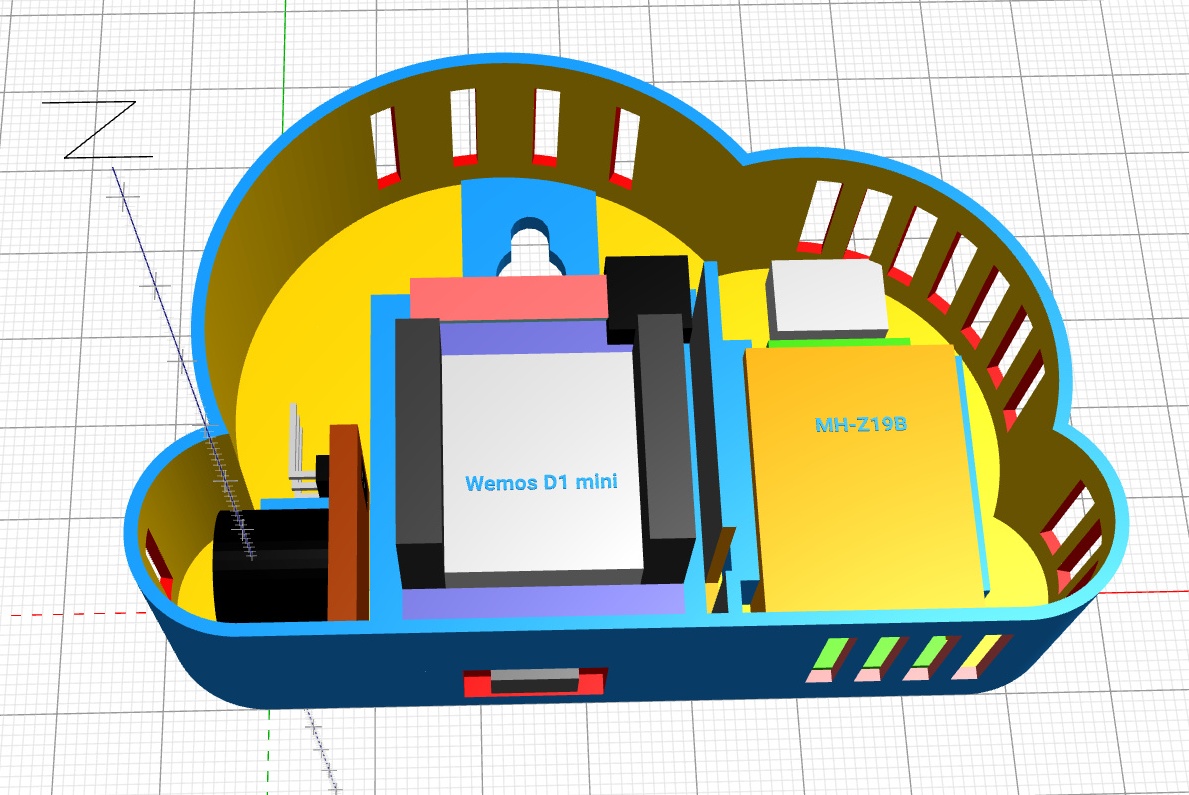
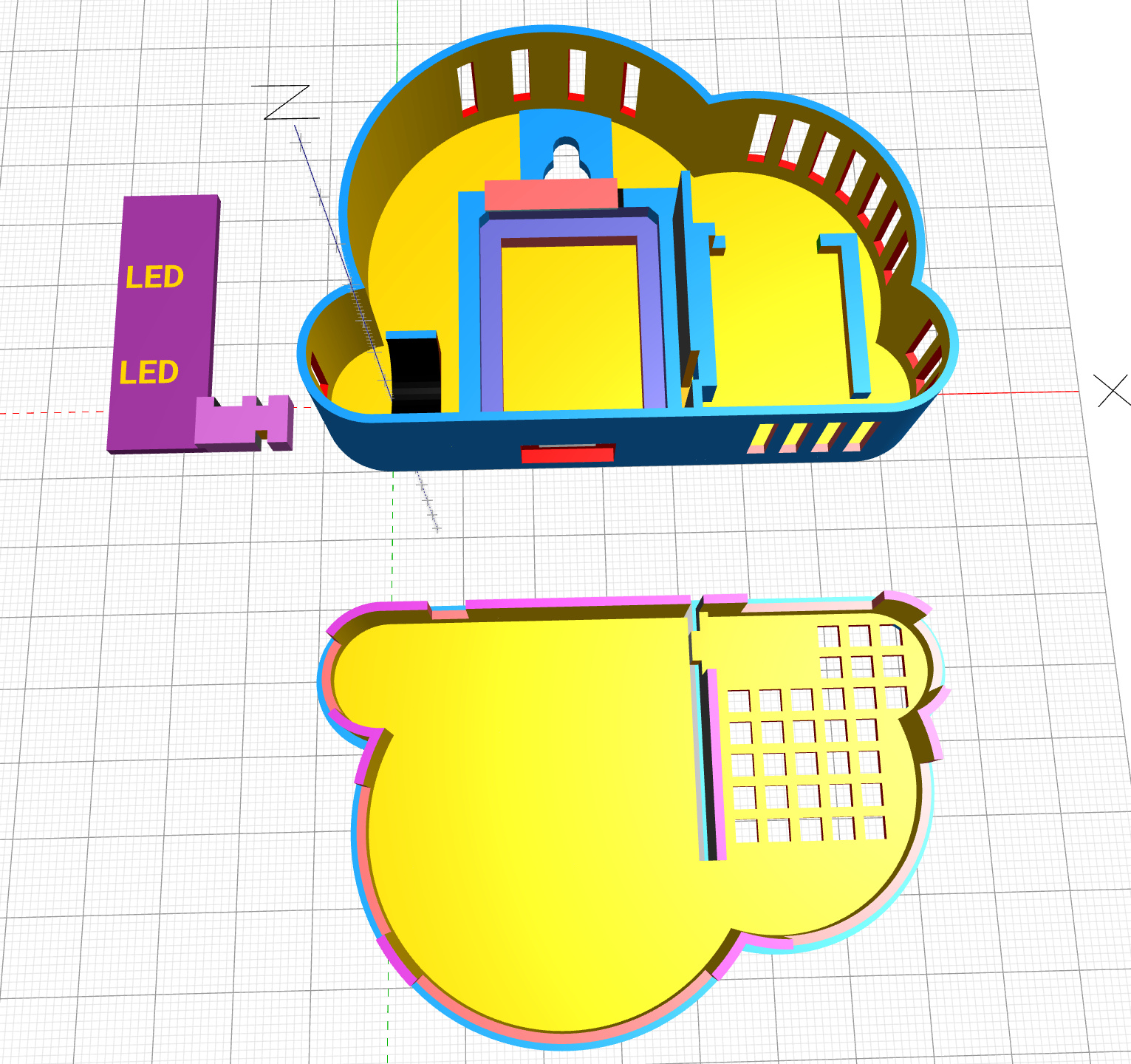
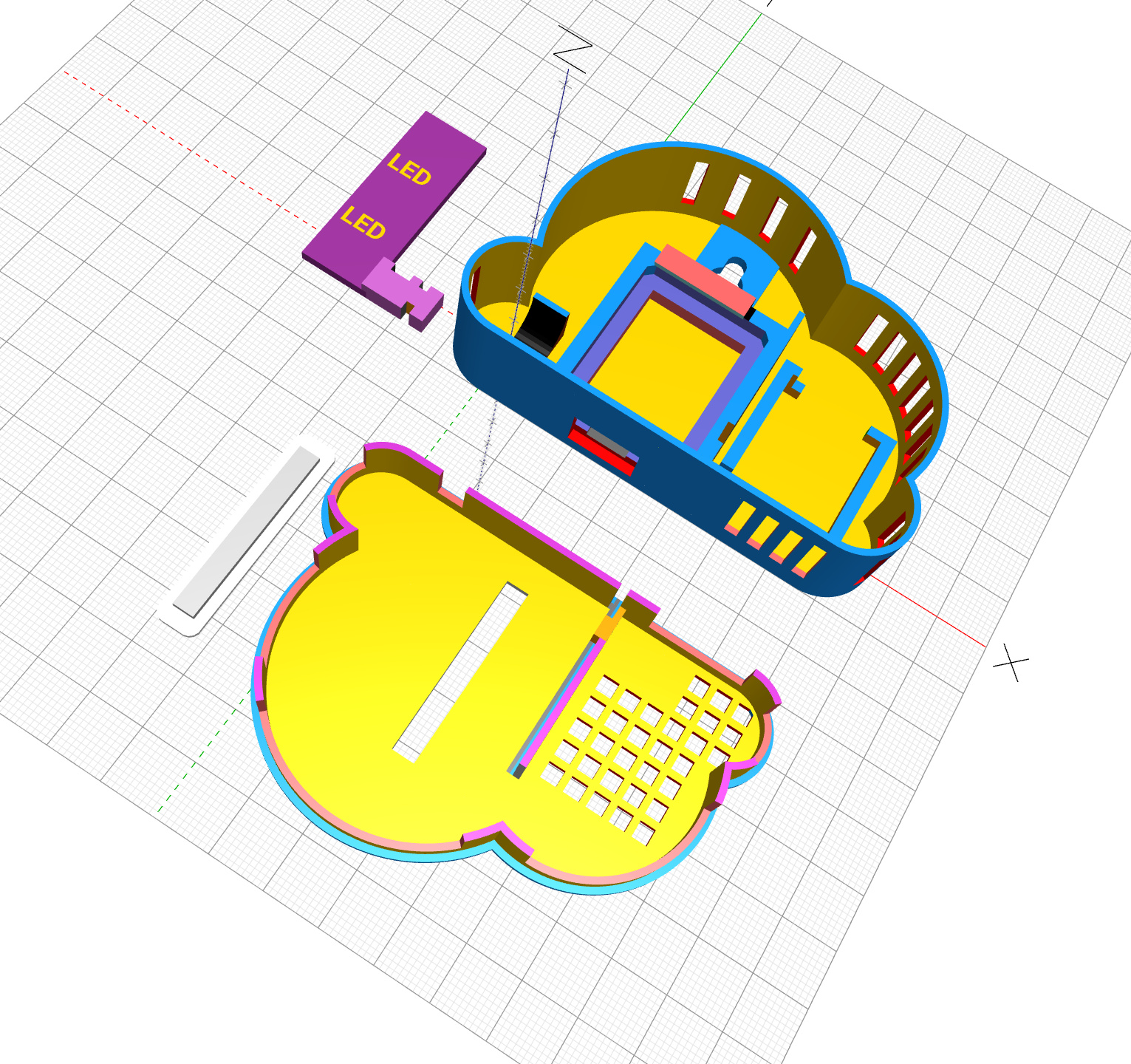
The housing consists of
- the base where the components (ESP, sensor, buzzer) are mounted,
- a carrier plate for the LEDs,
- a lid that snaps into the base.
There are different variants of the housing. When printed in white, the LEDs shine brightly through the housing. A black case requires a window that is closed with a white-printed pane.
In another variant, an IR LED can be used, with which opposite devices (air conditioning, TV, etc.) can be controlled remotely. For this purpose, a small board holder in the base and a hole for the IR LED in the lid are necessary.
It is recommended that you print each part individually. The corresponding .stl files are available for download here.
Processing for printing – slicing
The result of the previous step is .stl files that describe the objects composed of triangle faces. However, a 3D printer can’t do anything with it, as it requires a sequence of commands that controls its movements layer by layer from bottom to top. This requires a slicer program that is usually enclosed with the printer. Ultimaker Cura is often used for this purpose. On my Anycubic i3 Mega I achieved the best results with the rather unknown Kiri:Moto. The result from the slicer program is a sequence of commands customized for each printer in a .gcode file.
Recommended programs
- BlocksCAD – a free online 3D CAD design program. My favorite for quickly creating dimensional objects. Built (programmed) is used in a scratch-like surface, including OpenSCAD. Is self-explanatory, you can start immediately. BlocksCAD does not use constraints, so you have to be programmatically disciplined for larger projects. Program is suitable for school purposes, children and adolescents.
- SolveSpace – a free (GPLv3) parametric 3D CAD design program. Uses constraints and builds models in logical layers that can be changed at any time. You can quickly build dimensional objects. However, it is not self-explanatory and requires some training time. Available for Windows, Linux and Mac.
- Kiri:Moto – a free online slicer that runs completely in the browser. Can be parameterized very well and is suitable for 3D printers (FDM and SLA) as well as for CNC milling and laser cutters. Provides the best results for my Anycubic i3 Mega.
–
Leave a Reply